 QR Saver
Scan several QR codes at once and keep each one with its photo and place
QR Saver reads every code the camera sees, shows the action for each one and keeps a history on your iPhone. Any QR can become an Apple Wallet pass. No ads and no account.
Coming soon to the App Store
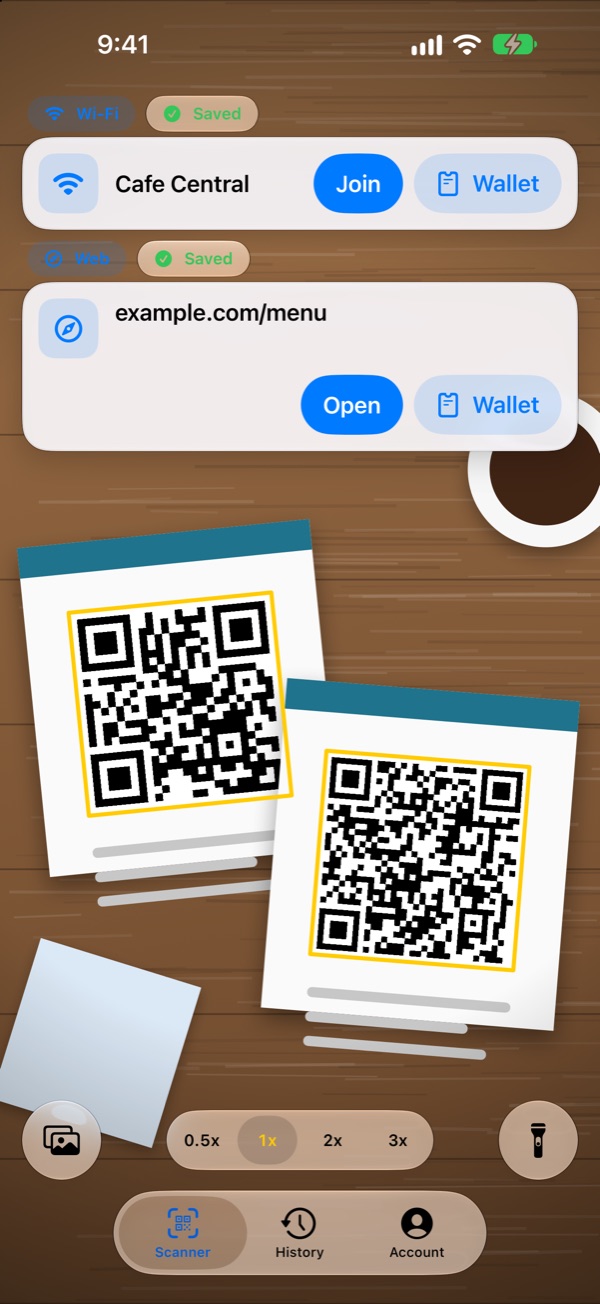
From the printed menu to your history
Point at the table, the poster or the ticket. QR Saver reads each code, lets you act with one tap and keeps it for later.
Several codes at once
It detects every code in the frame and follows them as you move your iPhone. The camera never stops, with lens buttons or pinch to zoom.
One-tap actions
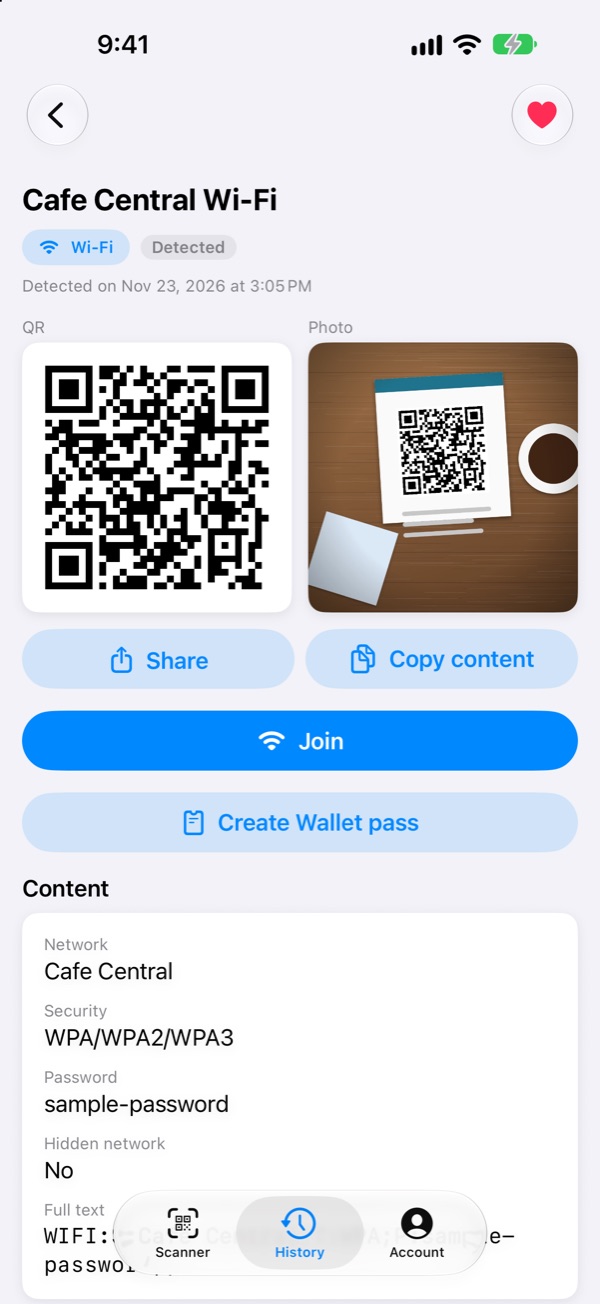
Each code appears at the top with its type and action: open a link, join a Wi-Fi network, add a contact or an event.
History with favorites
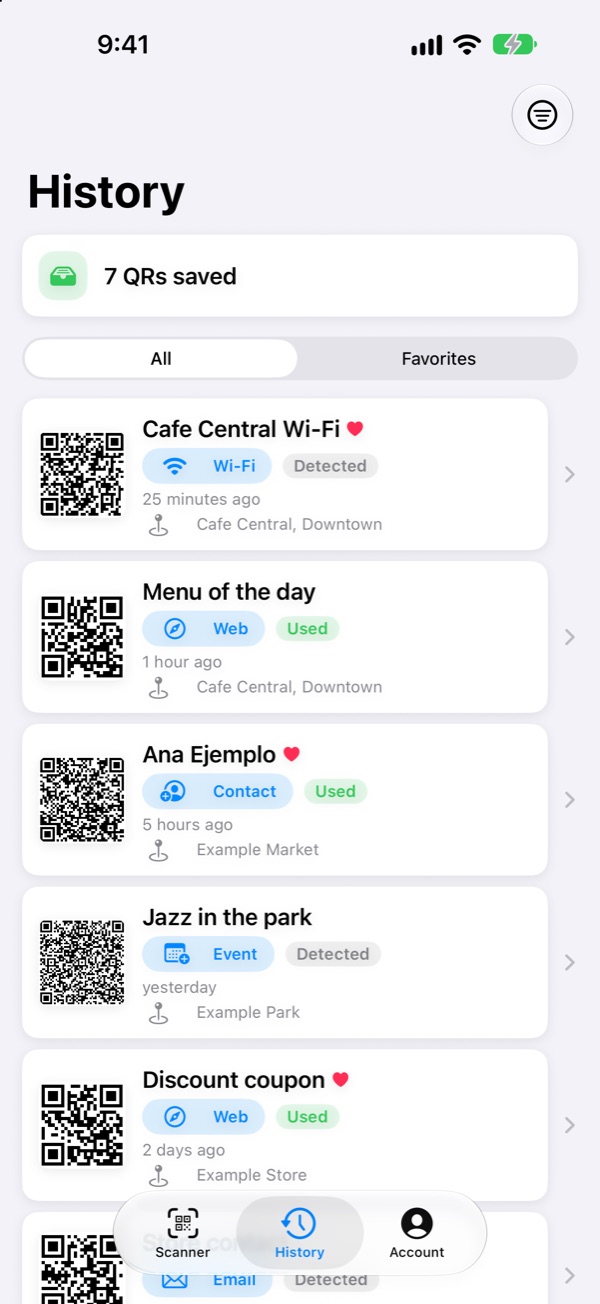
Every code is saved with its photo, the date and the name you give it. Search by name, type or content and mark favorites.
Optional location
If you allow it, QR Saver remembers where you scanned each code and shows it on a map. Without permission, the app works the same.
QR to Apple Wallet
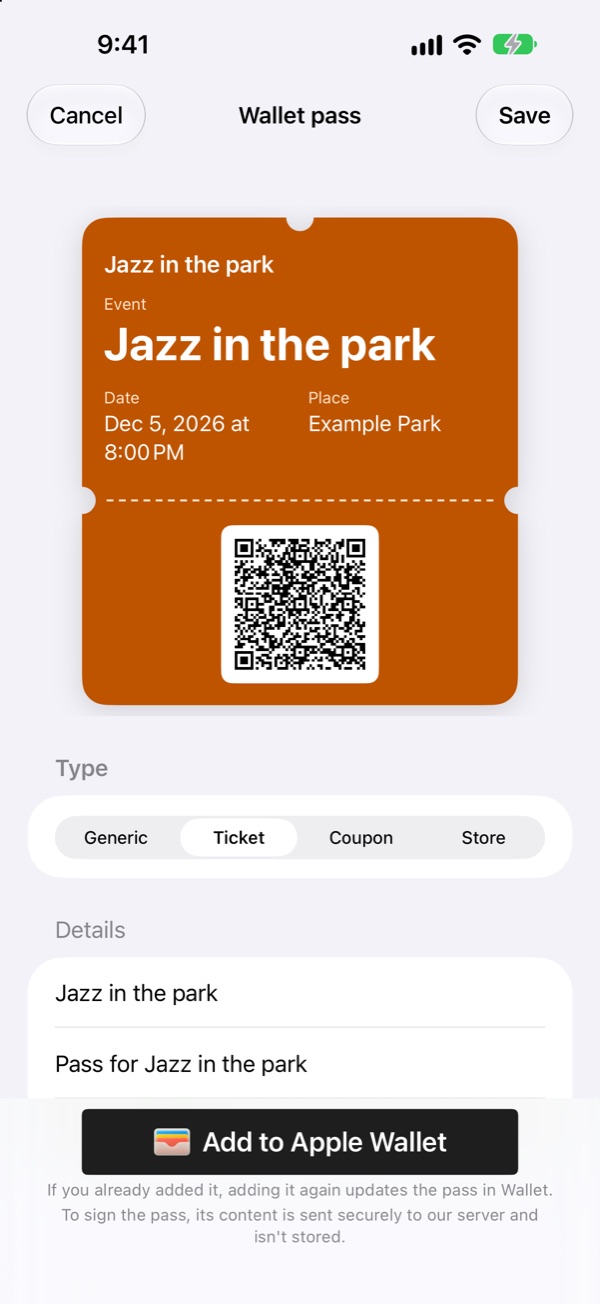
Turn a QR into a generic pass, event ticket, coupon or store card with your own colors and fields. It is part of the one-time purchase.
From your photos
Pick up to 10 images with the system picker and QR Saver reads the codes in them, without access to your whole library.
Private by design
No account, no tracking, and no analytics or third-party SDKs. Your history stays on your iPhone.
Suggested names
Your iPhone can suggest a name for each code with AI that runs on the device.
What it does with each code
QR Saver recognizes the content and offers the matching action.
- LinkOpens in Safari
- TextCopies to clipboard
- Wi-FiJoins the network
- ContactAdds to Contacts
- EventAdds to Calendar
- EmailOpens Mail
- PhoneCalls
- SMSOpens Messages
- LocationOpens in Maps
What it looks like on iPhone
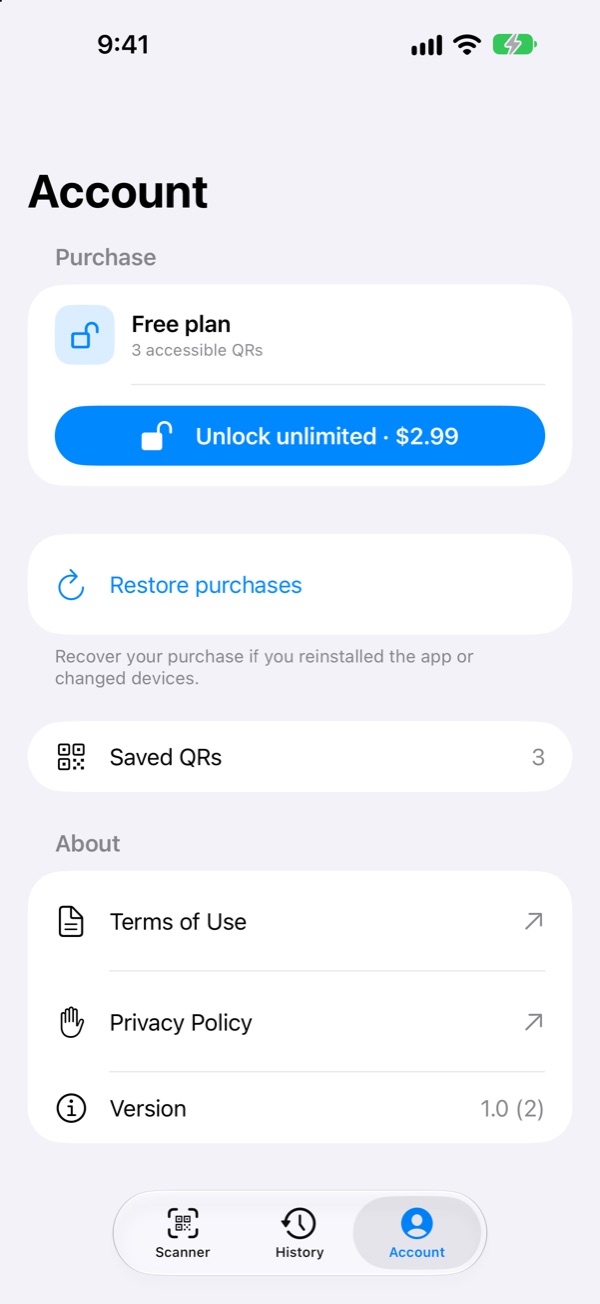
Free to start, one purchase for everything
The free plan gives you access to your 3 most recent codes. If you save more, the older ones are locked, not deleted.
The one-time purchase is not a subscription: it unlocks unlimited QR codes and Apple Wallet passes. Apple processes it, and you can restore it from the Account tab.
Your data stays with you
Your history, photos and scan locations are stored on your iPhone and are not sent to APPBACK. There are no ads and no tracking.
The only exception is creating Wallet passes: to sign them, the pass is sent to our server, which processes it in memory and does not store it.
- Date
- Dec 5, 2026, 8:00 PM
- Place
- Example Park
Coming soon to the App Store
While we prepare the launch, you can read how we handle your data or write to us.